PAYMENT GUIDE
Pay with crypto
Follow the NOWPayments checkout safely and understand what every payment status means.
Nonlucid uses a hosted NOWPayments checkout. The checkout shows the supported assets and networks available for that order; Nonlucid does not ask you to send funds to an address shown anywhere else.
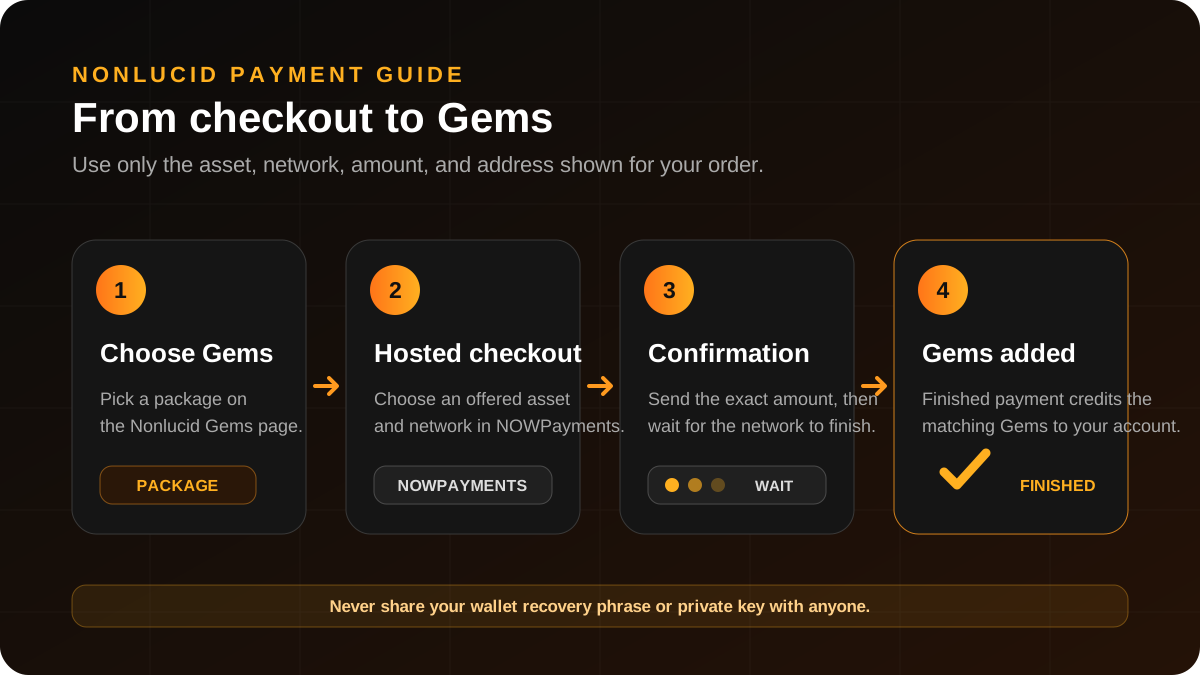
Complete a payment
- Open Gems and choose the package you want to buy.
- Continue to the hosted NOWPayments checkout.
- Choose one of the assets and networks offered on that checkout.
- From your wallet, send the exact displayed asset and amount on the exact displayed network to the unique order address.
- Keep the checkout available and wait for network confirmations.
- Check Purchase History. Gems are added only after NOWPayments marks the payment as finished.
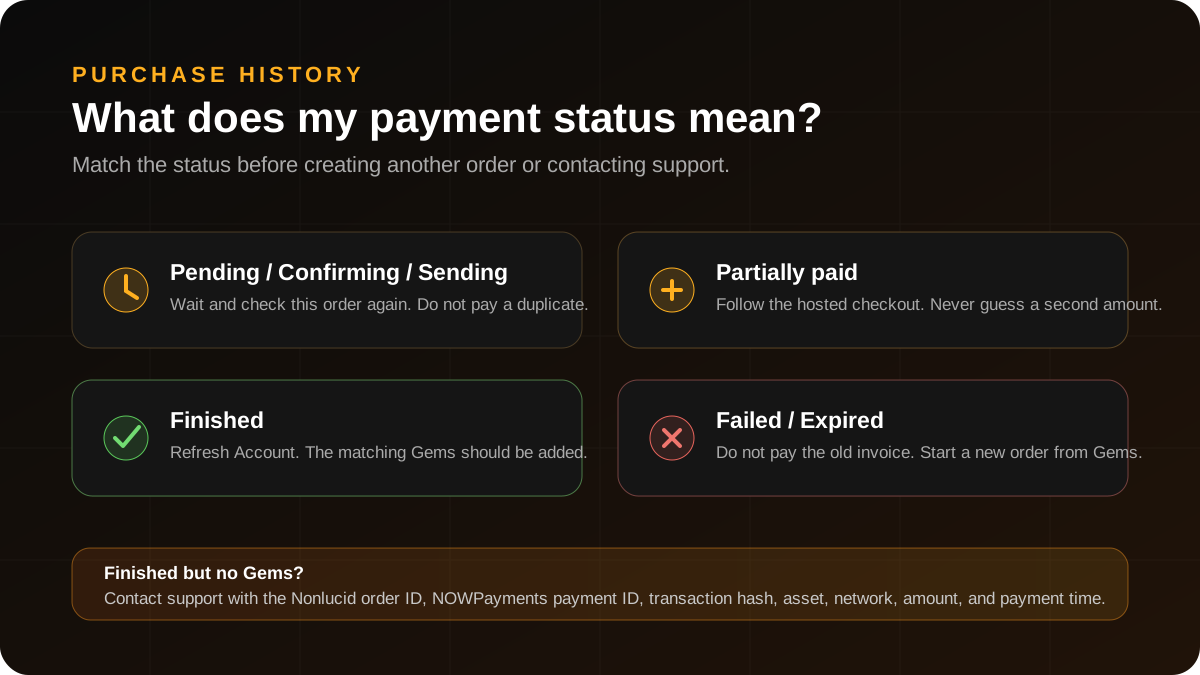
Understand the status
- Pending, confirming, confirmed, or sending: the provider has not finished processing the payment yet.
- Partially paid: reopen the checkout and follow the exact provider instructions; do not guess a second amount.
- Finished: the payment is complete and the matching Gems should be added.
- Failed or expired: do not send funds to the old invoice; create a new order from Gems.
How long will confirmation take?
Confirmation time depends on the selected blockchain and current network conditions. Keep the checkout available and use Purchase History as the source of truth.
Should I pay a second order while the first is confirming?
No. If you already sent funds, wait for the existing order to reach a final state so you do not create a duplicate purchase.
What should I do with a partially paid order?
Reopen the NOWPayments checkout and follow the exact amount shown there. If it is unavailable, contact support with the Nonlucid order ID and transaction hash before sending anything else.
The payment is finished but my Gems are missing. What should I send support?
Send the Nonlucid order ID, NOWPayments payment ID, blockchain transaction hash, asset, network, amount, payment time, and a screenshot of the final status. Do not send wallet secrets.
Can Nonlucid reverse a blockchain transfer?
No. Blockchain transfers cannot be reversed by Nonlucid. We can investigate a payment, but recovery after a wrong asset, network, address, or amount is not guaranteed.